Guide
How to export your GPX from Strava
If you have a race or activity recorded on Strava, you can download the GPX file in less than a minute. Here's how.
01
Open your activity in Strava
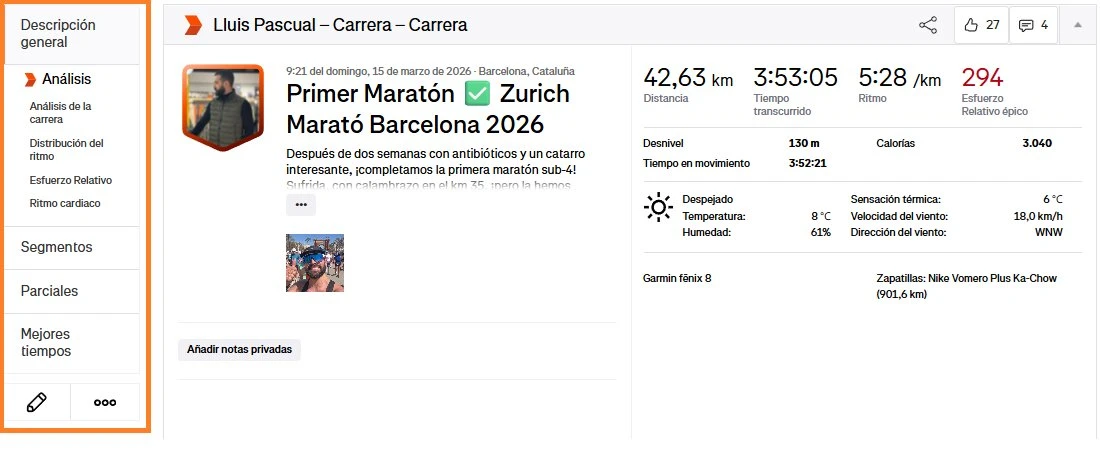
Log in to Strava and open the activity of the race you want to immortalise. You can do this from the app or from strava.com on your computer.
02
Tap the options menu (•••)
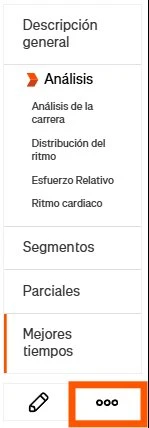
At the bottom of the left panel you will see three dots (•••). Tap them to open the activity options menu.
03
Select "Export GPX"
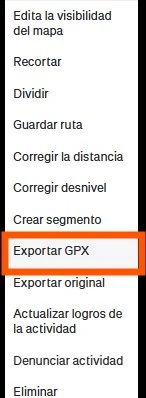
In the dropdown menu select "Export GPX". The file will download automatically to your device.